2.2.9 Analyzing Network Health by WAS Instance
Analyzing Network Health
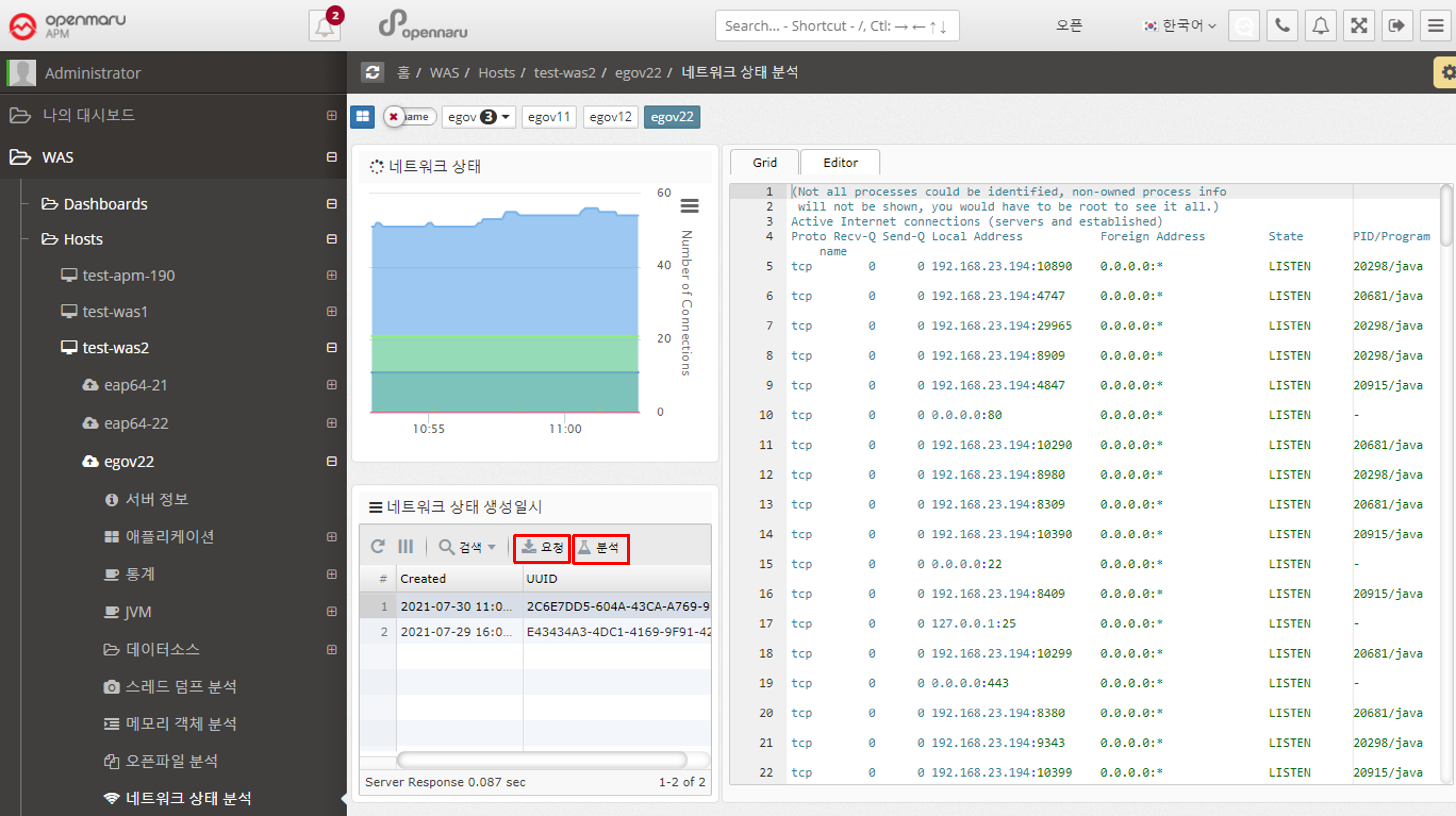
The network health analysis of a WAS displays information about the TCP connections used by that WAS instance (Linux-based operating systems only). It shows only the ports used by the WAS instance. The graph in the upper left corner is only visible if the System Agent is installed on the machine where the WAS instance is installed.
To view system-wide TCP connection status information, go to System > Network > TCP Connection Status.
If you see an excessive increase in a particular item, you need to check which port or IP address is causing it. In the network status analysis, click the 'Request' button on the left to analyze individual TCP connections at the current time.
Each time you click the 'Request' button, the server stores the data at the current time, and when you click the 'Analyze' button, the information is displayed on the right.