5.2 How to set up email sending
Setting up APM events
Go to Settings - System settings - Event In the Mail section, set the following settings.
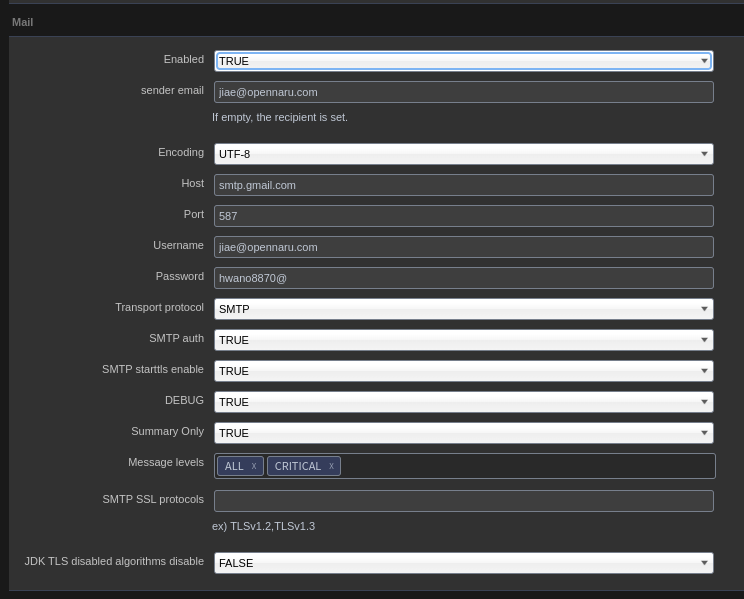
| Item | Description |
|---|---|
Enabled |
Set to true or false whether to send the event to email. ex) true |
sender email |
ex) tester@gmail.com |
Encoding |
Sets the encoding of the email body. ex) UTF-8 |
Host |
Enter the hostname or IP address of the SMTP server. ex) smtp.gmail.com |
Port |
Enter the port of the SMTP server. ex) 587 |
Username |
Enter the user ID to log in to the SMTP server. ex) tester@gmail.com |
Password |
Enter the user password to log in to the SMTP server. ex) password |
Transport protocol |
Enter the SMTP protocol. ex) smtp |
SMTP auth |
Enter true or false whether the SMTP server requires user authentication. ex) true |
SMTP starttls enable |
Sets whether TLS encryption should be used for SMTP transmissions, true or false. ex) true |
DEBUG |
Set to true or false to enable debugging of SMTP mail transfers. ex) true |
Summary Only |
ex) true |
Message levels |
Error Level value ex) ALL |
SMTP SSL protocols |
ex) ex) TLSv1.2,TLSv1.3 Specifies the TLS connection version. For gmail, specify TLSv1.2 (as of 2022. 07) |
JDK TLS disabled algorithms disable |
ex) false true when the SMTP server is servicing with TLS 1.1 or lower version |
Configure the above settings and click the SAVE button to save them.
If you use GMail as an SMTP server, you need to check Use IMAP on the Forwarding configuration and POP/IMAP tabs as shown below.
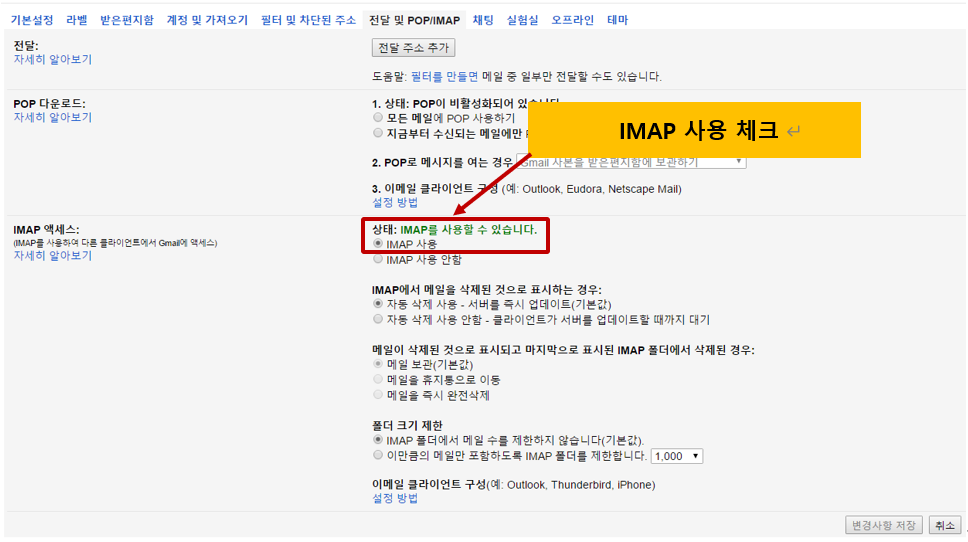
You will also need to lower the security settings for your user account in GMail.
GMail "My Account" - Google Account Management - Security - Access for low-security apps
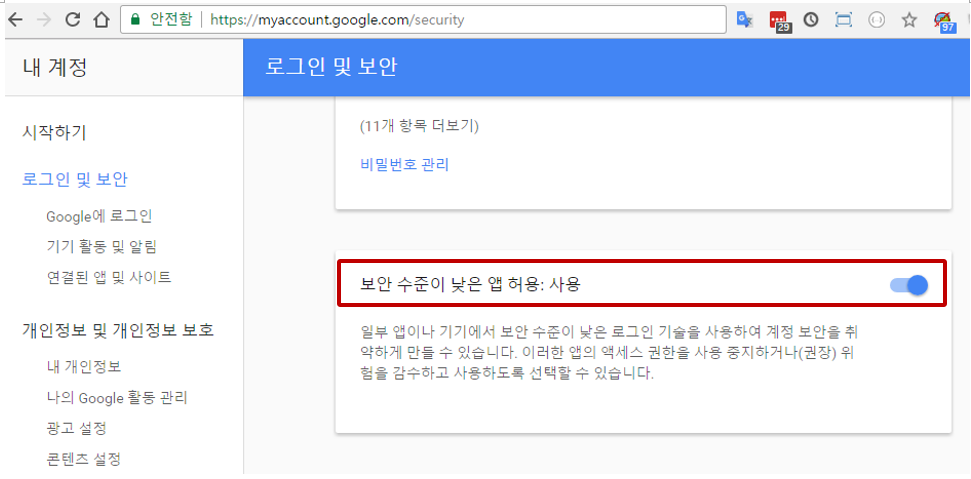
Set Allow low-security apps to 'Enabled'.
If the above settings do not work, follow the link below.
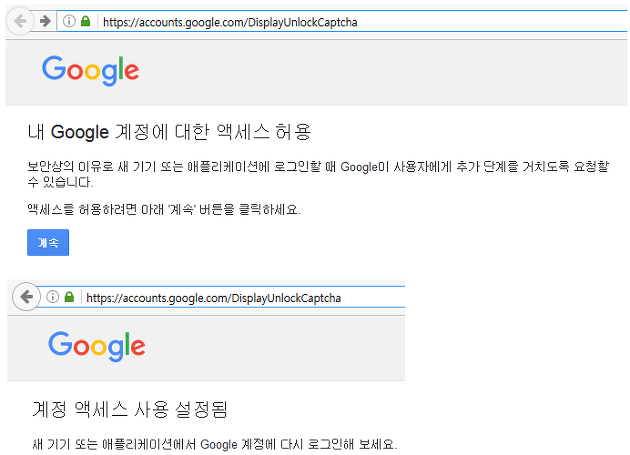
Under Allow access to my Google account, set the following settings.