2.6.1 SLA Monitoring
Author |
Version |
Date |
Yugunmo |
v1.1 |
2021-09-06 |
Health Check is a feature that monitors HTTP-based applications.
It runs in the system agent and works with JDK 1.8 or later.
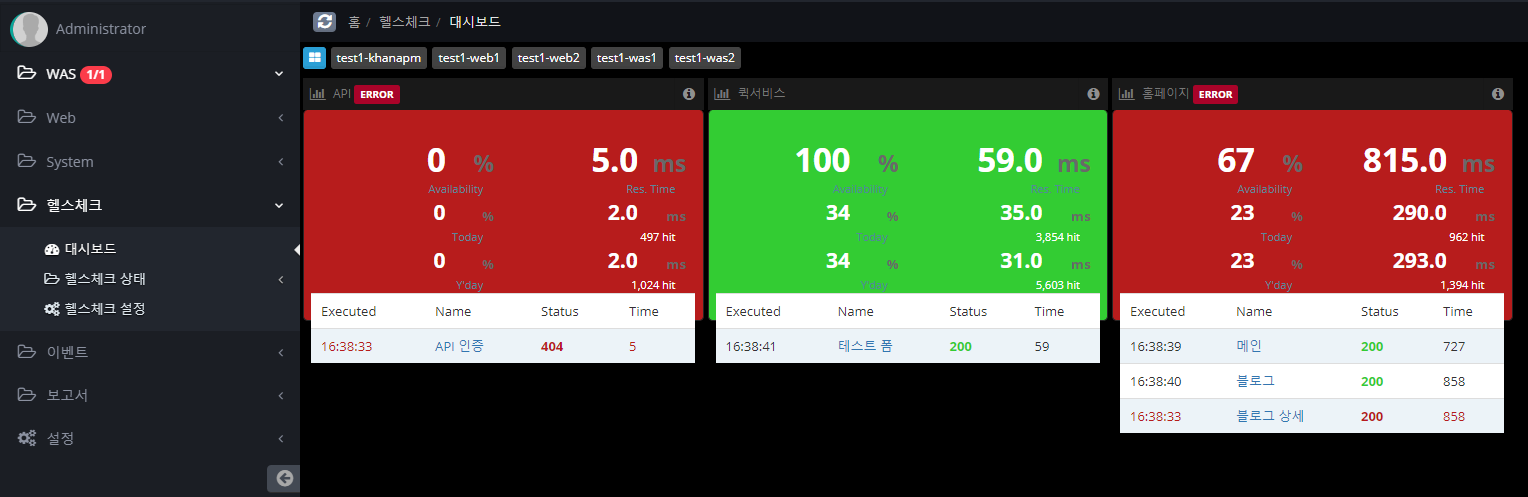
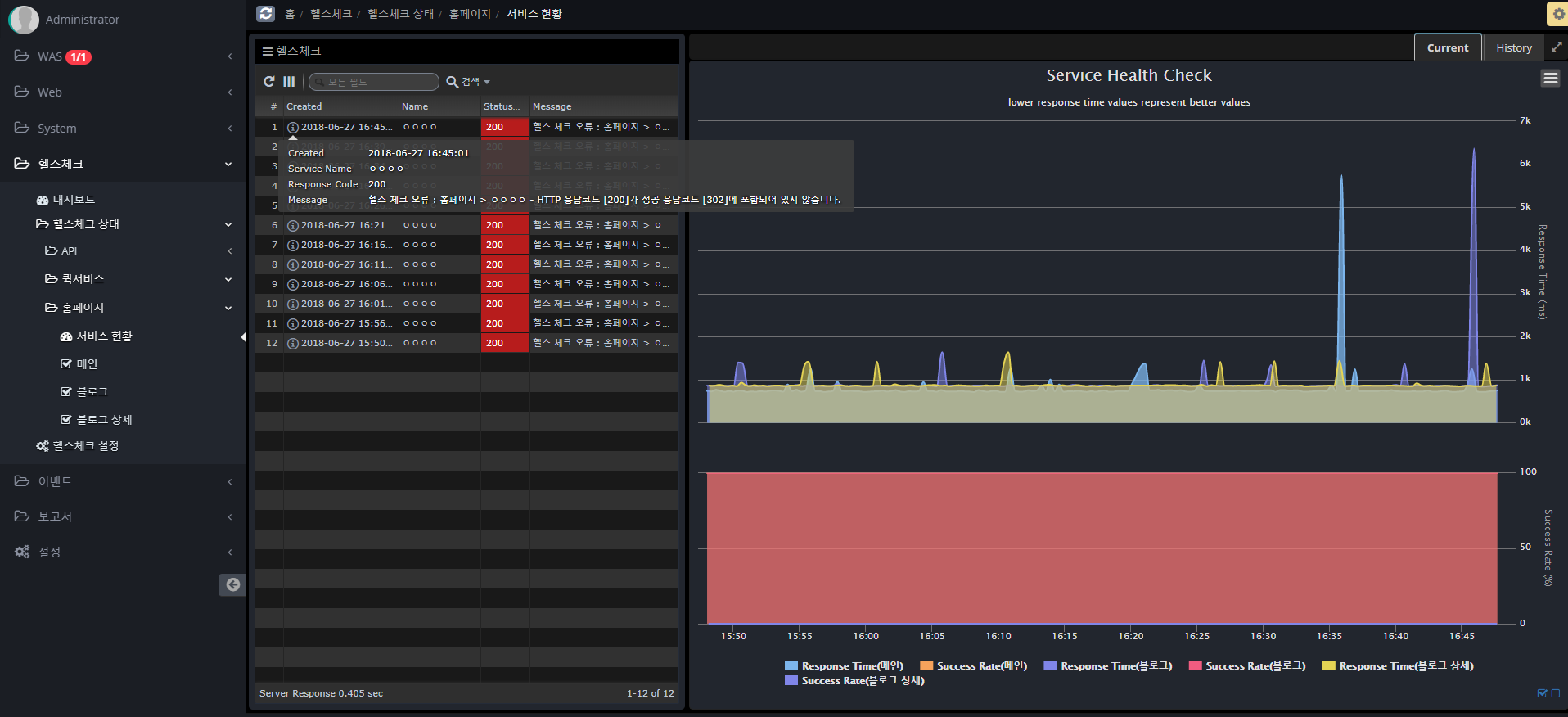
Dashboards
The dashboard displays information about real-time success rate, average response time, current day and previous day data.
Health check settings
Follow the steps below to register a Health Check item.
You can set it up similarly to Postman, a Rest API testing tool, or JMeter, a tool used for load testing.
-
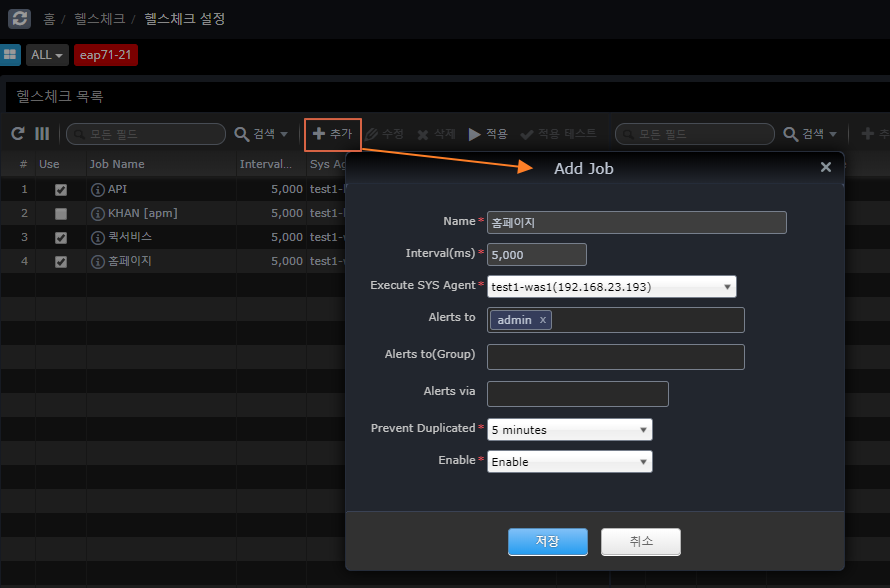
Register a Job A Job is a group of services that share a cookie (Session). +]
Name |
Name for the Job |
Interval(ms) |
Repeat Cycle |
Execute SYS Agent |
SYS Agent to execute |
Alerts to |
Who to notify on failure |
Alters to(Group) |
Group of people to be notified on failure |
Alters via |
email, sms, slack (Slack will be sent even if you don’t specify it.) |
Prevent Duplicated |
Prevents repeated notifications after a failure notification. |
Enable |
Whether to monitor jobs |
Apply
After completing the settings and modifications, click the Apply button to send the contents of the entire Job to each Agent to be reflected.
Test
Runs a trial test for the selected Job and displays the result on the screen.
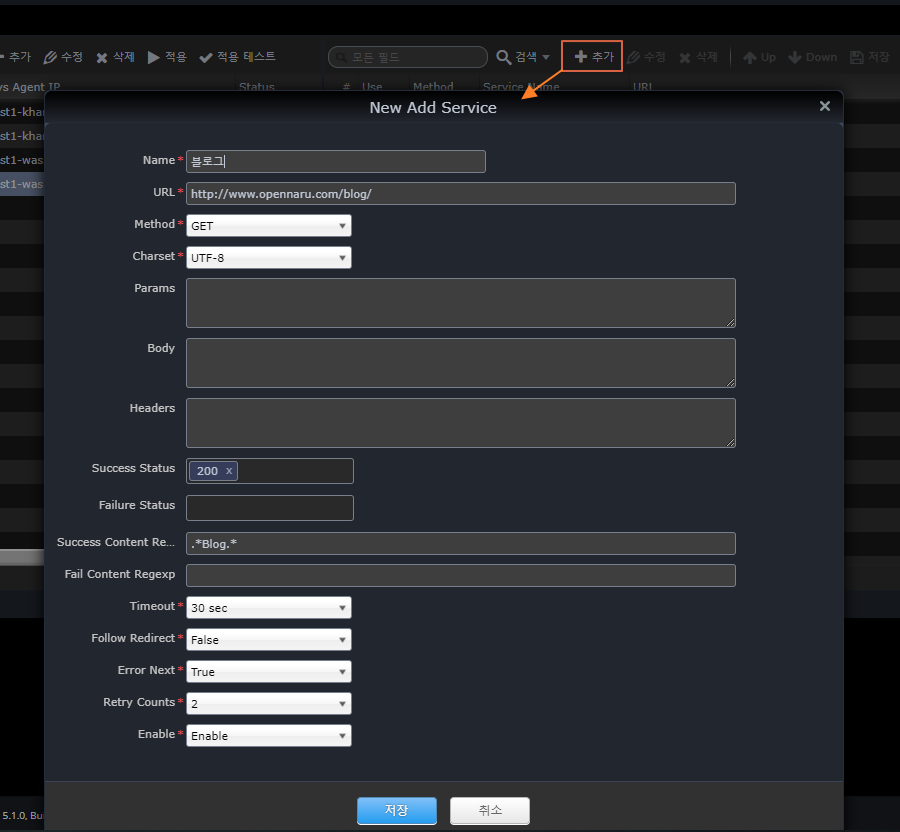
* Register Service
+]
Name |
Service name |
URL |
Call URL |
Method |
HTTP Method |
Charset |
Character encoding |
Params |
Parameters for POST, PUT, and DELETE + Parameters for POST, PUT, and DELETE.
Example) test1=1 |
Body |
Requested content body for POST, PUT, DELETE |
Headers |
HTTP Header |
Success Status |
HTTP status code to determine success |
Failure Status |
HTTP status code for failure |
Success Content Regexp |
Response content body content that is considered successful (regular expression) |
Failure Content Regexp |
Response content body content judged to be a failure (regular expression) |
Timeout |
Time to wait for a response after a request |
Follow Redirect |
Whether to continue if the HTTP status code is 302 |
Error Next |
Whether to proceed to the next service in case of failure |
Retry Counts |
Number of retries on failure |
Enable |
Whether to enable the service |