2.3.1 Web Server Monitoring
Web server information is collected through the Apache/Nginx Plugin of the System Agent, which is installed separately. It collects the traffic of the web server, requests per second, the number of Idle and Busy states of the worker, and the status information of individual connections and displays them in a graph.
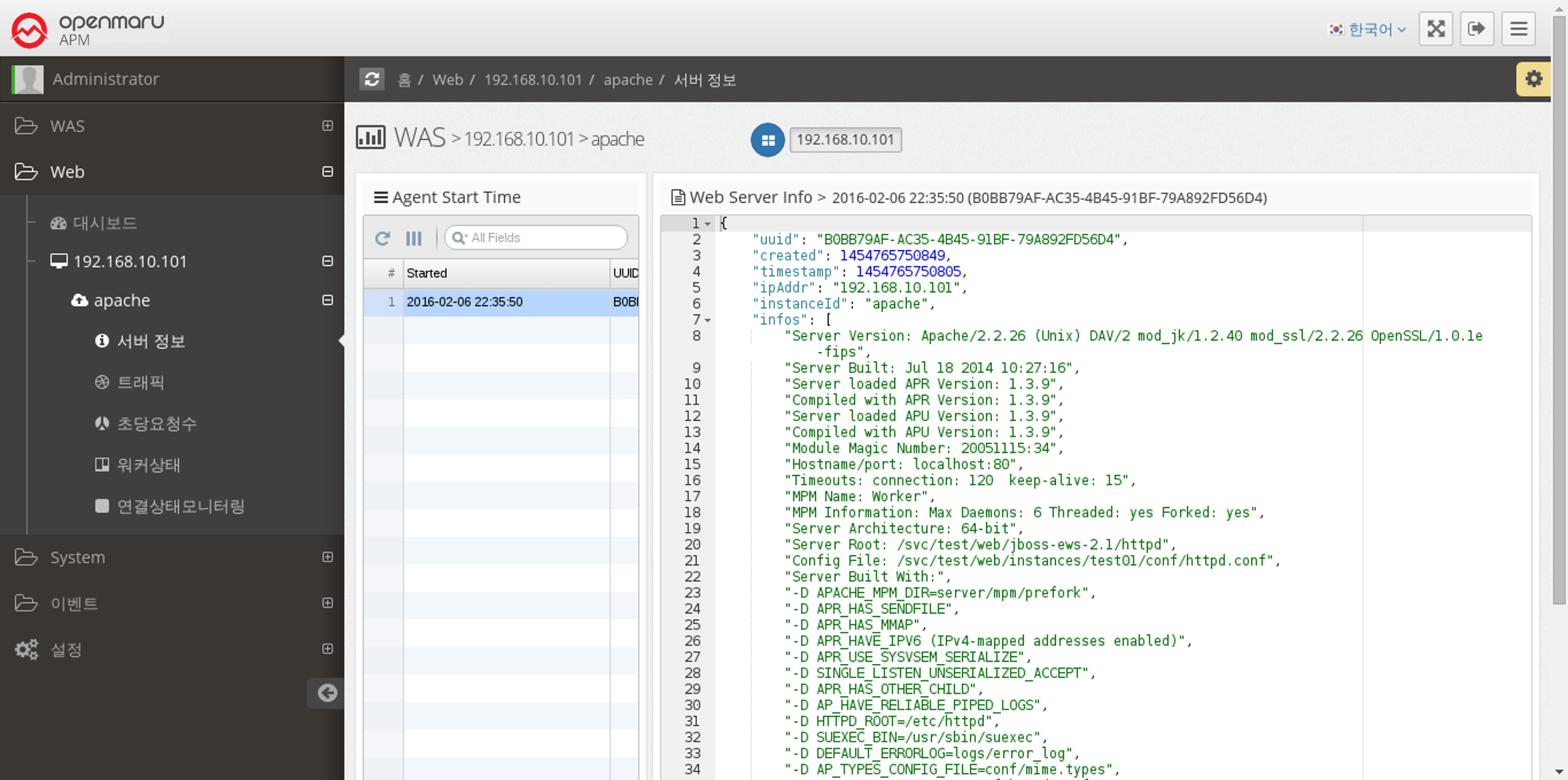
Web Server > Server Information
When the System Agent starts, it collects and stores information about the web server. It collects and displays the installation location of Apache/Nginx, the location of configuration files, build options, and version information of subcomponents used.
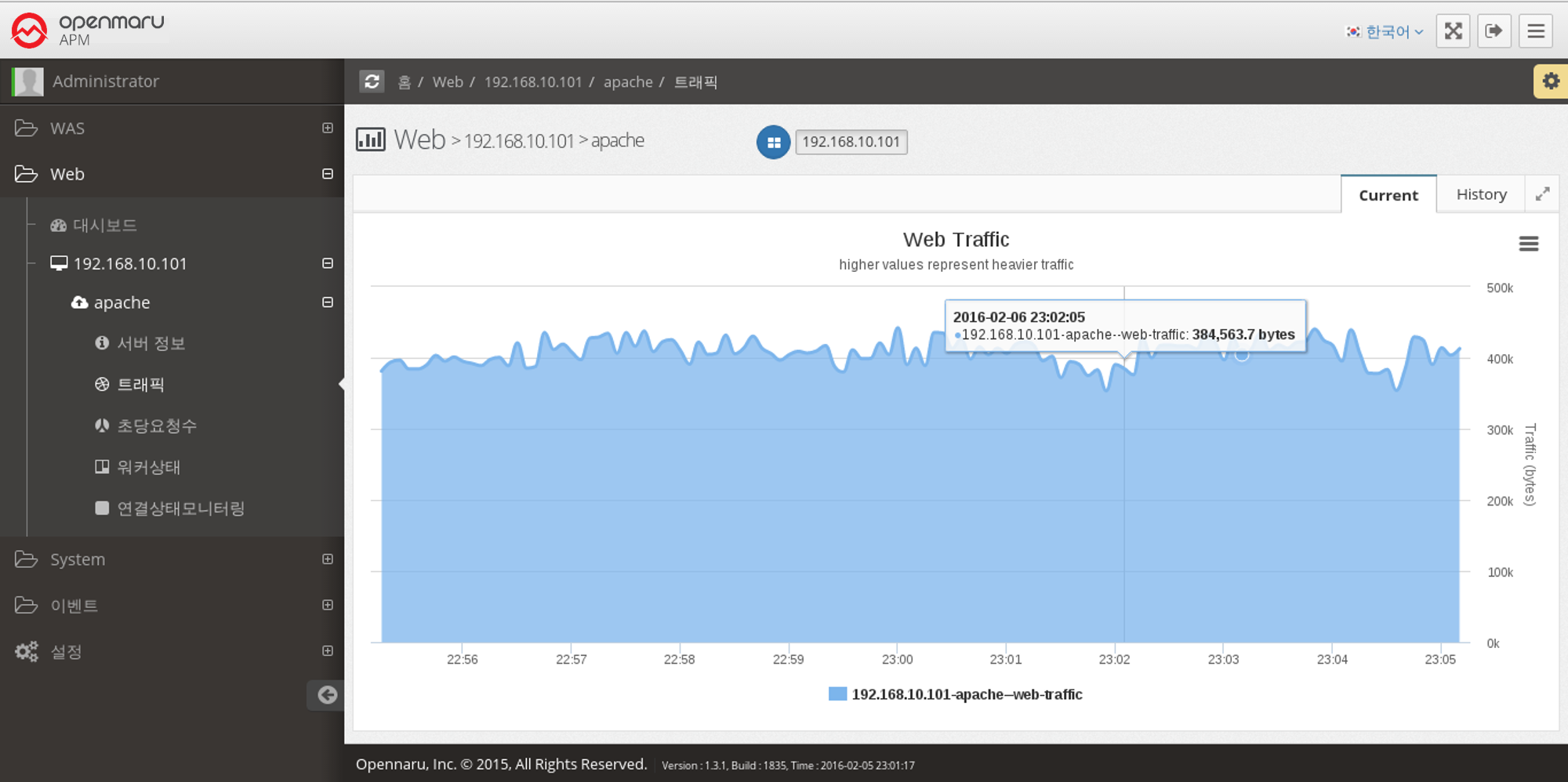
Web Server > Traffic
This graph displays the number of bytes processed by the Apache web server per second.
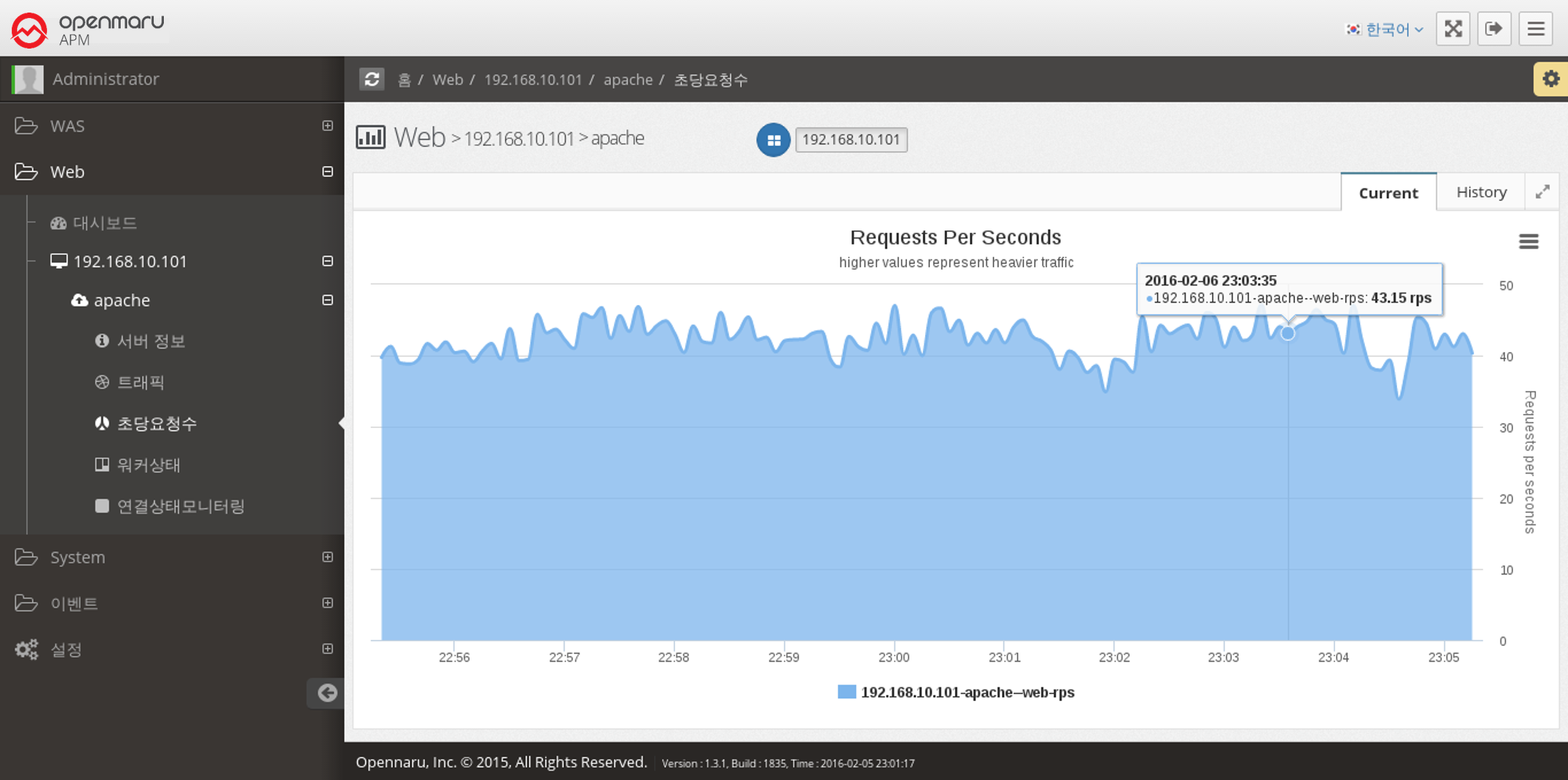
Web Server > Requests Per Second
This graph shows the number of requests the Apache web server serves per second.
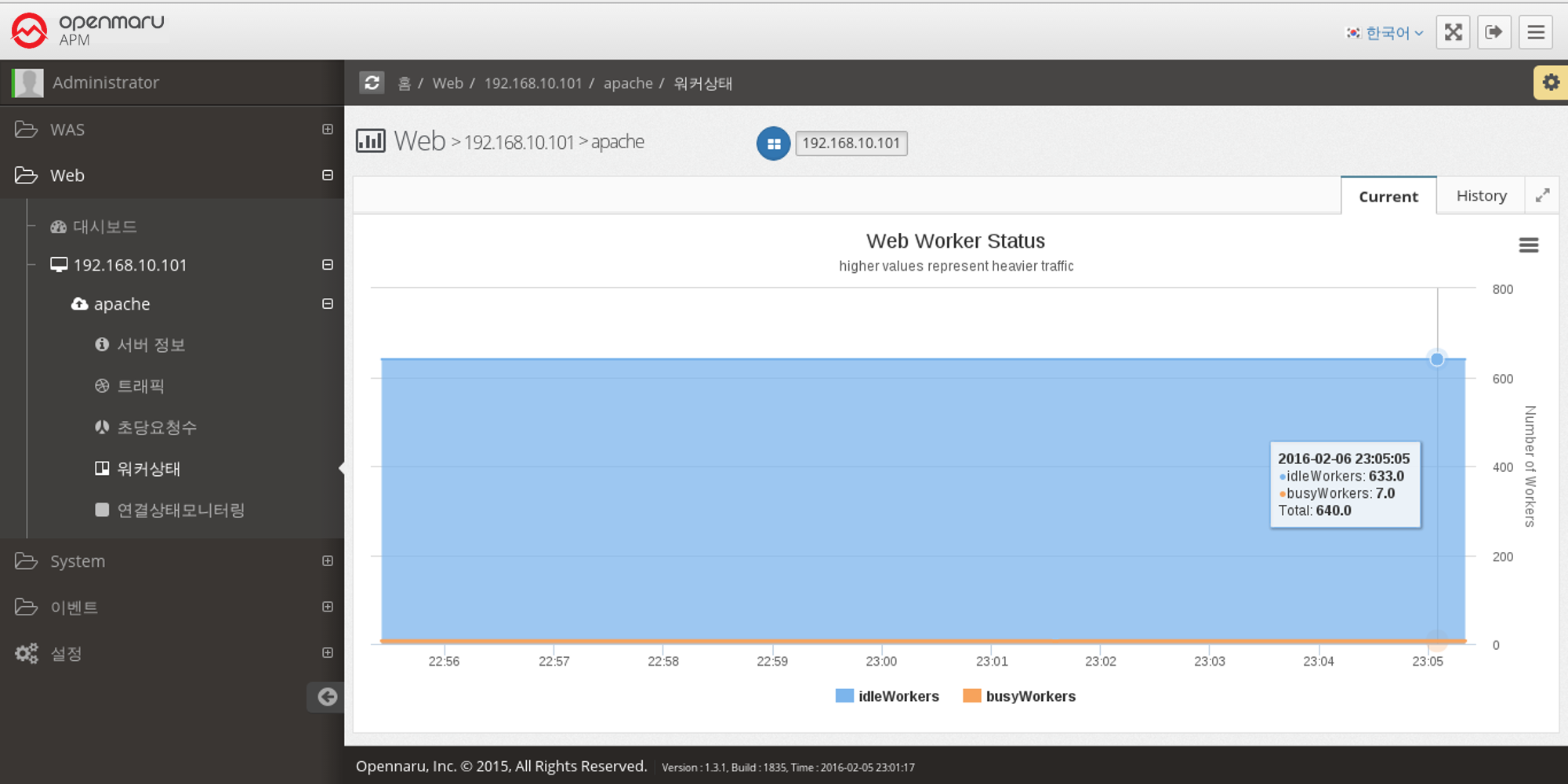
Web Server > Worker Status
This graph shows the number of workers in the Apache web server that are currently processing requests and the number of workers that are idle.
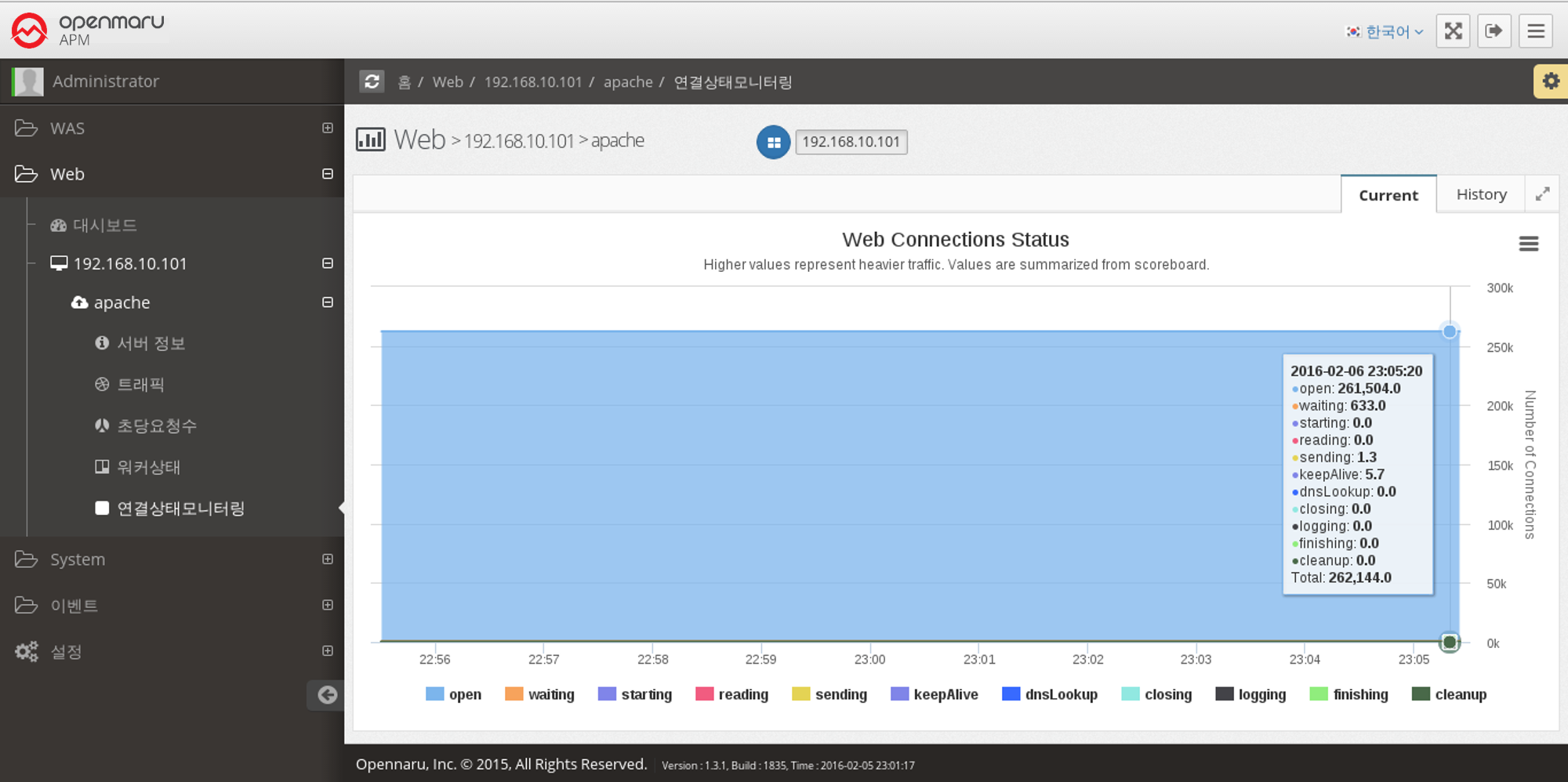
Web Server > Monitoring Connection Status
Displays a graph of the work currently being done by each of the connections on the Apache web server, categorized by the following items.
| Item | Description |
|---|---|
Open |
No requests are currently being processed |
Waiting |
Waiting for a connection |
Starting |
Starting |
Reading |
Reading the request |
Sending |
Sending a response |
KeepAlive |
Keep Alive status |
DNSLookup |
DNS lookup in progress |
Closing |
Closing the connection |
Logging |
Logging |
Finishing |
Gracefully closing the connection |
Cleanup |
Cleaning up the Idle Worker |
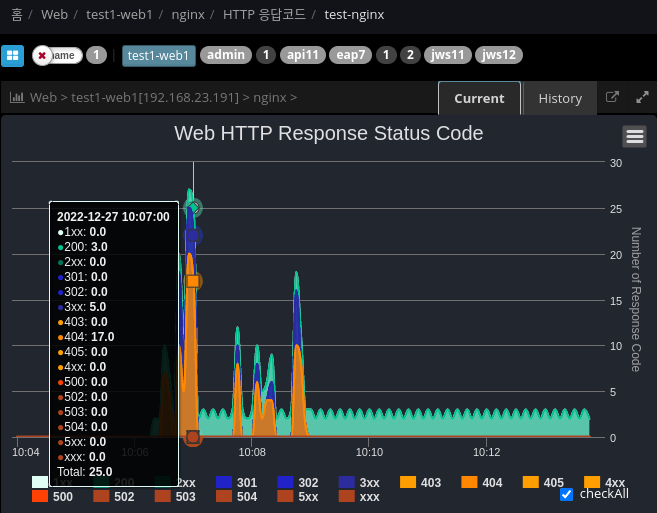
Web Server > HTTP Response Code Monitoring
Analyze and display the response code based on the web server Access log file.
## /plugins/khan-plugin-apache.conf/config.properties
## /plugins/khan-plugin-nginx.conf/config.properties

## Specify the directory where the file is located
## Index with response codes separated by spaces
http.status.code.log.dir=test-nginx:/var/log/nginx:8

## Request URL patterns to exclude
http.status.code.log.exclude.url.patterns=\\*/,/status,/server-info,/jkstatus
## File patterns to exclude
http.status.code.log.exclude.file.patterns=^error.log$,.*.gz