Getting started
What is OPENMARU Cloud APM?
OPENMARU Cloud APM is an Application Performance Monitoring (APM) tool that provides real-time monitoring of Java-based web applications to proactively prevent failures and continuously improve performance.
APM provides real-time behavioral monitoring of Java-based web applications, as well as the ability to apply real-time statistical analysis techniques to determine problems in advance.
4.1 Supported environments
Compiled in the Oracle JDK 1.6 environment and tested in the following Runtime environments.
| OpenShift | JAVA |
|---|---|
3.4 or later |
Oracle JDK 1.6 / OpenJDK 1.6 |
Oracle JDK 1.7 / OpenJDK 1.7 |
|
Oracle JDK 1.8 / OpenJDK 1.8 |
|
Oracle JDK 11 / OpenJDK 11 |
The following describes the procedure.
4.2 Build the APM Agent OpenShift image
Author |
Version |
Date |
Woo, Jangsik, Ryu, Youngjun |
v1.1 |
2021-09-01 |
To monitor a WAS instance running as a Container on OpenShift in APM, you need to build a Docker Image and register it in OpenShift’s Docker Registry.
The following describes the procedure.
Configure the OpenShift agent file
On a Linux machine with access to OpenShift’s registry and the Podman daemon installed, unzip the following files.
$ wget https://cloud.openmaru.io/api/v1/projects/{SAAS_PROJECT_ID}/download/was-agent.zip
$ unzip khan-agent-5.1.0.zip
Configure the Dockerfile
Add khan-agent-5.1.0.jar, khan-agent.conf, and user-interceptor.conf when creating an image for OpenShift.
FROM registry.redhat.io/jboss-eap-7/eap74-openjdk8-openshift-rhel7

USER root

ENV JAVA_OPTS="-javaagent:/opt/eap/khan-apm/khan-agent-5.1.0.jar"
ENV JAVA_OPTS="-Dkhan.config.file=/opt/eap/khan-apm/khan-agent.conf"

ADD ./khan-agent-5.1.0.zip /opt/eap/
RUN unzip -q /opt/eap/khan-agent-5.1.0.zip -d /opt/eap/khan-apm && \
    chmod -R 777 /opt/eap/khan-apm

ADD khan-agent.conf /opt/eap/khan-apm
ADD user-interceptor.conf /opt/eap/khan-apm

USER jboss
For more information about the khan-agent.conf file, see https://docs.openmaru.io/docs/containerAgentInstall/05.chap/05.html [Pod-enabled environment variables] in the list of container Agent installation guides.
Configure build.sh
The build.sh file contains the scripts to build the image and push it to OpenShift’s Private Registry.
Rename the REGISTRY_URL in the build.sh file, as there are different ways to use the OpenShift Private Registry, such as using it for external servers or as a Container.
$ vi build.sh#/bin/bash
# -------------------------------------------------------------
# openmaru apm http://www.opennaru.com/
# for OpenShift Container JBoss EAP 7.0 Image Monitoring
# for OpenShift Container
# contact : service@opennaru.com
# Copyright(C) 2015, Opennaru,Inc. All Rights Reserved.
# -------------------------------------------------------------
#/bin/bash
export REGISTRY_URL=default-route-openshift-image-registry.apps.ocp.opennaru.com
TAG_NAME=eap74-test
VERSION=5.1.0-7.1.1
#]
# registry login examples
#.
#oc login
#docker login -u devadmin -p $(oc whoami -t) $REGISTRY_URL
#podman login -u $(oc whoami) -p $(oc whoami -t) $REGISTRY_URL
#sudo docker login -p <TOKEN_IN_OPENSHIFT_REGISTRY> -e unused -u unused $REGISTRY_URL
#oc login --token <TOKEN_IN_OPENSHIFT_REGISTRY> ocp-master1.ocp-dev.opennaru.com
podman build --rm --tag=$TAG_NAME .
podman tag $TAG_NAME $REGISTRY_URL/openshift/$TAG_NAME:$VERSION
#$podman push $REGISTRY_URL/openshift/$TAG_NAME:$VERSION
podman push --tls-verify=false $REGISTRY_URL/openshift/$TAG_NAME:$VERSIONNote that the Docker Image’s NameSpace and Image Stream are named OpenShift/$TAG_NAME:$VERSION, so you can change them to whatever you want.
To build and push to the registry, you need to log in to the registry, so log in with the oc login or podman login command before building.
$ export REGISTRY_URL=**default-route-openshift-image-registry.apps.ocp.opennaru.com**

oc login
Or $ podman login -u devadmin -p $(oc whoami -t) $REGISTRY_URL
Build Docker Image and Push Registry
Run the ./build.sh command to build and push the image.
[root@bastion test1]# *./build.sh*
STEP 1: FROM registry.redhat.io/jboss-eap-7/eap74-openjdk8-openshift-rhel7
STEP 2: USER root
--> Using cache a50cb975c41deb224f7b80554b803052c296d299613e28a1f03dad092c59d643
STEP 3: ENV JAVA_OPTS="-javaagent:/opt/eap/khan-apm/khan-agent-5.1.0.jar"
--> Using cache bc0de1b934a9cced9158f822bdc523e7357e146855f1e931cf0a3107e5809d6a
STEP 4: ENV JAVA_OPTS="-Dkhan.config.file=/opt/eap/khan-apm/khan-agent.conf"
--> Using cache 049c9899bd8bf0c58d62e6e0ae8e937e9d7dd389e0fdf1186297c71c1318f763
STEP 5: ADD ./khan-agent-5.1.0.zip /opt/eap/
--> Using cache ae0554d55338651a58e127f4b2c1a404f1fae7969f2d4f85853380d1417f6176
STEP 6: RUN unzip -q /opt/eap/khan-agent-5.1.0.zip -d /opt/eap/khan-apm && chmod -R 777 /opt/eap/khan-apm
--> Using cache 422ec3534a9c06c4c04d6dca46a18cbaebceb72f6c0f4b0a3c7ae358f420212f
STEP 7: ADD khan-agent-5.1.0.jar /opt/eap/khan-apm
--> Using cache dad9501724490dafe4c8daadef0bed99060b34f69f7ab2199dc3e5f37c603c60
STEP 8: ADD khan-agent.conf /opt/eap/khan-apm
--> Using cache b9378c22e39f55c60c1c9f59a475ca6a9e5ddba577eec85a1b84d4a9563e90c1
STEP 9: ADD user-interceptor.conf /opt/eap/khan-apm
--> Using cache ec08353950d87273d0ac05fabff9aa9063b67ed1e64cd615f9d76f05cec0f224
STEP 10: USER jboss
--> Using cache ad2953319f2eb69f5f0e072f1514dd72d83f667bd4807168adf26c1ba9961900
STEP 11: COMMIT eap74-test
ad2953319f2eb69f5f0e072f1514dd72d83f667bd4807168adf26c1ba9961900
ad2953319f2eb69f5f0e072f1514dd72d83f667bd4807168adf26c1ba9961900
Getting image source signatures
Copying blob 28a63be9d2b0 done
Copying blob d782d20c8ee3 done
Copying blob c8f02e541067 done
Copying blob 132ca6509b35 skipped: already exists
Copying blob 85b07cb63121 skipped: already exists
Copying blob 1eaba82ed886 skipped: already exists
Copying blob b88369a48dc4 done
Copying blob 6d7fcfc12225 done
Copying config ad2953319f done
Writing manifest to image destination
Writing manifest to image destination
Storing signatures
Verify APM Base Image
Deploy to OpenShift and then validate in APM
-
Verify Agent Access
-
Check JVM monitoring .
-
Check T-Map when calling /session/index.jsp
What to do if you encounter an issue
When looking up a process, JAVA_OPTS must be in the following order. OpenShift Terminal
ps -ef | grep jboss

...Omitted...
-javaagent:/opt/eap/khan-apm/khan-agent/khan-agent-5.1.0.jar

...Omitted...

-Xbootclasspath/p:...Omitted...

...Omitted...

-Djava.util.logging.manager=org.jboss.logmanager.LogManager
Using an OPENMARU APM Image in an OpenShift application
Now, change the base image in the Dockerfile to the image with the OPENMARU APM Agent installed and build it.
Change the FROM clause in the Dockerfile
*FROM registry.access.redhat.com/jboss-eap-6/eap64-OpenShift*

… omit …
⇒
*FROM docker-registry-default.ocp-dev.opennaru.com/jboss-eap-6/eap64-OpenShift*

… omit …
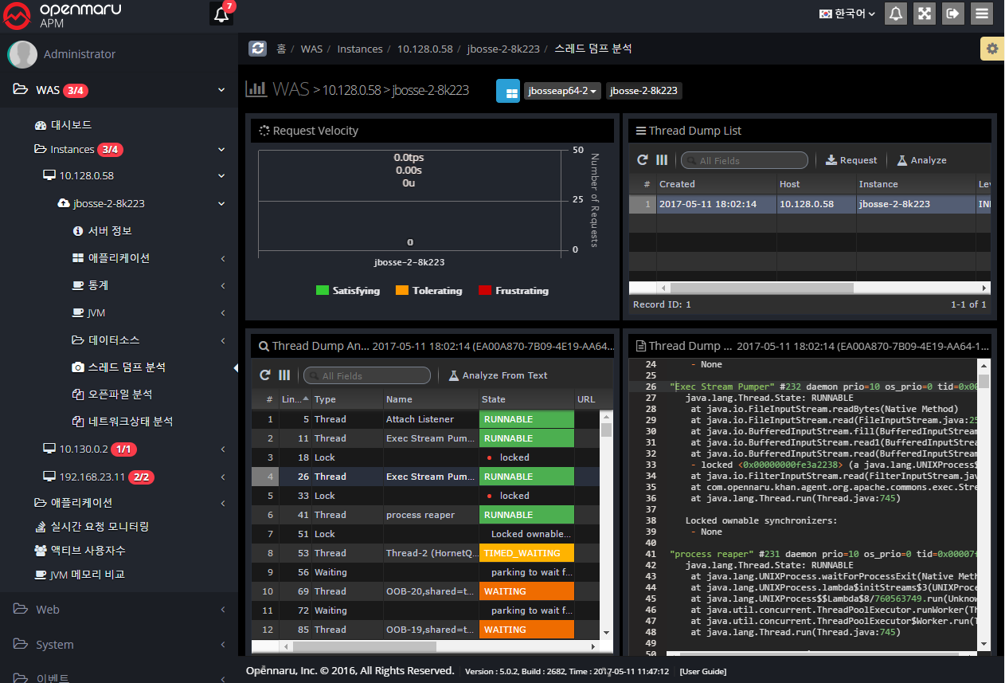
After deploying the application using the image built as above, you can perform detailed monitoring of the application on the OPENMARU APM monitoring server.
4.3 Environment variables available in Pods
The following are configuration items in the OPENMARU APM khan-agent.conf file that can be set as environment variables in the Deployment Config of NAVER CLOUD PLATFORM.
| Configuration item | Description | Default value |
|---|---|---|
OMAPM_APPLICATION_NAME |
Specifies the application group name. However, the build number is not displayed. |
Example) If hostname is equal to "jboss-eap-egov-65-zs95r", then the + eap-${HOSTNAME} will be returned as eap-${HOSTNAME:-:5} ⇒ eap-65 |
OMAPM_HOST |
||
OMAPM_PORT |
443 |
|
OMAPM_TLS |
true |
|
OMAPM_AGENT_IP |
||
OMAPM_USER_KEY |
NIL |
|
OMAPM_INSTANCE_ID |
Specifies the instance name. If specified, it will be displayed as "[Setting]-BuildNumber-LambdaValue". If not specified, the Deployment name is used. |
Example) If hostname is equal to "jboss-eap-egov-65-zs95r", it will be displayed as +.
eap-${HOSTNAME:-:5}-${HOSTNAME:-:6} ⇒ eap-65-zs95r case1: instanceid-${RANDOM:4} =⇒ instanceid-qfPb |
OMAPM_AGENT_TYPE |
WAS |
|
OMAPM_AGENT_COMPRESS_TYPE |
Specifies the type of compression algorithm for the agent. |
lzw (default=snappy) |
OMAPM_APDEX_THRESHOLD |
Specifies the user-satisfactory response time for the APDEX (default 3 seconds) |
3.0 |
OMAPM_TRANSACTION_TRACE_ENABLED |
Specifies whether to enable transaction traces. |
true |
OMAPM_TRANSACTION_TRACE_THRESHOLD |
Specifies the response time to collect transaction traces (in ms). Default: 500 ms |
500 |
OMAPM_TRANSACTION_TRACE_THRESHOLD_UNDER_DETAIL_ENABLED |
false |
|
OMAPM_SQL_CAPTURE_ENABLED |
Specifies whether to collect SQL statements when tracing transactions. |
true |
OMAPM_TRANSACTION_TRACE_SQL_PARAMETERIZE |
false |
|
OMAPM_TRANSACTION_SAMPLING_INTERVAL |
Specifies the interval for collecting transactions for the same URL. If you specify 10, only 1 out of 10 traces are kept for the same URL. |
1 |
OMAPM_TRANSACTION_TRACE_SQL_STACKTRACE_THRESHOLD |
Sets the stacktrace threshold for SQL queries to ms. |
30000 |
OMAPM_TRANSACTION_TRACE_HEADER_ENABLED |
Specifies whether to enable tracing the header of the requested value. |
true |
OMAPM_TRANSACTION_TRACE_HEADER_KEYS |
Key values of the requested HEADER. |
|
OMAPM_TRANSACTION_TRACE_COOKIE_ENABLED |
Specifies whether the requested cookie trace is enabled. |
false |
OMAPM_TRANSACTION_TRACE_COOKIE_KEYS |
Key values of the requested cookies |
JSESSIONID |
OMAPM_TRANSACTION_TRACE_PARAMETER_KEYS |
Additional parameters from the URL |
|
OMAPM_DATABASE_FETCH_WARNINGS |
Displays a warning when fetching a specified number of comma separated SQL ResultSet. |
10000,20000,30000 |
OMAPM_DATABASE_CONN_LEAK_WARNING |
DB connection leak warning |
false |
OMAPM_DATABASE_POOL_STAT_ENABLED |
Specify whether to enable statistics monitoring for the entire DB pool |
false |
OMAPM_DATABASE_POOL_STAT_INCLUDE_PATTERNS |
Specify a list of patterns to include by separating datasource names with commas |
|
OMAPM_DATABASE_POOL_STAT_EXCLUDE_PATTERNS |
Specifies a comma-separated list of patterns to exclude from datasource names. |
|
OMAPM_INCLUDE_PACKAGES |
||
OMAPM_TRANSACTION_EXCLUDE_URL_PATTERNS |
URLs to exclude from monitoring (regular expression) 예) /test/test.**,\*/abc/test.* |
\\* |
OMAPM_TRANSACTION_EXCLUDE_URL_SUFFIX |
.gif,.swf,.css,.hwp,.xls,.xlsx,.eot,.pptx,.ppt,.asf,.pdf,.txt,.flv,.mp3,.mp4,.doc,.html,.wmv,.jpg,.zip,.wav,.png,.ttf,.mov,.ico,.js,.woff,.xml,.htc,.NewProxyConnection,.DelegatingConnection,.SqlSessionTemplate,.CUBRIDConnection,.PoolableConnection,.WrappedConnection,/bea_wls_deployment_internal/DeploymentService,.GIF,.SWF,.CSS,.HWP,.XLS,.XLSX,.EOT,.PPTX,.PPT,.ASF,.PDF,.TXT,.FLV,.MP3,.MP4,.DOC,.HTML,.WMV,.JPG,.ZIP,.WAV,.PNG,.TTF,.MOV,.ICO,.JS,.WOFF,.XML,.HTC |
|
OMAPM_TRANSACTION_EXCLUDE_URL_SUFFIX_EXCLUDE |
true |
|
OMAPM_TRANSACTION_EXCLUDE_USER_AGENT_PATTERNS |
^openmaru-health-check$ |
|
OMAPM_TRANSACTION_ERRORPAGE_URL_PATTERNS |
/session/force500.*,/test/test500.* |
|
OMAPM_TRANSACTION_WITH_EXCEPTION_VIEW_ENABLED |
true |
|
OMAPM_TRANSACTION_WITH_EXTERNAL_HTTP_ERROR_VIEW_ENABLED |
true |
|
OMAPM_TRANSACTION_WITH_EXTERNAL_HTTP_ERROR_CODES |
||
OMAPM_TRAFFIC_CONTROL_ENABLED |
true |
|
OMAPM_TRAFFIC_CONTROL_PATTERN_1 |
Specifies the maximum number of simultaneous requests of the specified pattern to allow |
/test/slow., 100 |
OMAPM_TRAFFIC_CONTROL_PATTERN_2 |
Specify the maximum number of simultaneous requests of the specified pattern to allow |
/test/test., 100 |
OMAPM_TRAFFIC_CONTROL.PATTERN_3 |
Specifies the maximum number of simultaneous requests of the specified pattern to allow |
/test/TestServlet., 100 |
OMAPM_UBT_CHECK_ENABLED |
false |
|
OMAPM_UBT_CHECK_TYPE |
ip |
|
OMAPM_UBT_CHECK_USER_COUNT |
100 |
|
OMAPM_UBT_CHECK_TIME_INTERVAL |
1 |
|
OMAPM_UBT_CHECK_ALERT_DUP_PREVENT |
30 |
|
OMAPM_USER_TRACKING_MODE |
Specify user tracking mode 0 : Client IP 1 : JSESSIONID Cookie 2 : KHANUSER Cookie - default |
2 |
OMAPM_USER_THINKTIME_MINUTES |
5 |
|
OMAPM_ENABLE_FILTER_INTERCEPTOR |
false |
|
OMAPM_ENABLE_IBATIS_INTERCEPTOR |
false |
|
OMAPM_ENABLE_MYBATIS_INTERCEPTOR |
false |
|
OMAPM_ENABLE_HTTP_INTERCEPTOR |
false |
|
OMAPM_ENABLE_SPRINGBATCH_INTERCEPTOR |
false |
|
OMAPM_ENABLE_LOGGING_INTERCEPTOR |
false |
|
OMAPM_TRACE_LOGGING_LEVELS |
WARN,ERROR,FATAL |
|
OMAPM_PUSH_TRANSACTION_NO_DELAY |
true |
|
OMAPM_ACTIVEUSER_COUNTFIRSTREQUEST |
false |
|
OMAPM_USER_CHARSET_ENCODING |
Specify the encoding value for APM |
UTF-8 |
OMAPM_USER_INTERCEPTOR_FILE |
File name where the user’s interceptor environment variable is set |
user-interceptor.conf |
OMAPM_LOG_DIR |
Set APM log path |
/svc/test/khan-agent/log |
OMAPM_LOG_FILE |
Name the log file |
khan-agent-${INSTANCEID}.log |
OMAPM_LOG_LEVEL |
Specify log level |
INFO |
OMAPM_LOG_BACKUP_INDEX |
Set the number of backup files of logs to keep |
3 |
OMAPM_LOG_ROTATE_SIZE |
Specify the size of the log file to be rotated |
10240000 |
OMAPM_SESSION_MANAGER_ENABLED |
Whether to enable the session manager |
true |
OMAPM_ACTIVE_SESSION_COUNT_ENABLED |
Whether to count sessions |
true |
OMAPM_AUDIT_LOG_ENABLED |
Whether to enable audit log files |
true |
OMAPM_AUDIT_LOG_USERIDKEY |
USER_ID |
|
OMAPM_AUDIT_LOG_DIR |
Set audit log path |
|
OMAPM_AUDIT_LOG_FILENAME |
Name the audit log file |
audit-{date: yyyy-MM-dd}.log |
OMAPM_AUDIT_LOG_POLICIES |
daily: 00:00 |
|
OMAPM_AUDIT_LOG_BACKUPS |
Set the number of backup files of the audit log to keep |
3 |
4.4 Trouble Shooting
OpenShift JBoss EAP Image LogManager Error
When running JBoss EAP + OPENMARU APM Image, a LogManager error occurs when running JBoss EAP 6.4/7.0 as shown in the following error message.
java.lang.RuntimeException: JBAS014670: Failed initializing module org.jboss.as.logging
at org.jboss.as.controller.extension.ParallelExtensionAddHandler$1.execute(ParallelExtensionAddHandler.java
:111)
at org.jboss.as.controller.AbstractOperationContext.executeStep(AbstractOperationContext.java:611)
at org.jboss.as.controller.AbstractOperationContext.doCompleteStep(AbstractOperationContext.java:489)
at org.jboss.as.controller.AbstractOperationContext.completeStepInternal(AbstractOperationContext.java:290)
at org.jboss.as.controller.AbstractOperationContext.executeOperation(AbstractOperationContext.java:285)
at org.jboss.as.controller.OperationContextImpl.executeOperation(OperationContextImpl.java:1132)
at org.jboss.as.controller.ModelControllerImpl.boot(ModelControllerImpl.java:299)
at org.jboss.as.controller.AbstractControllerService.boot(AbstractControllerService.java:292)
at org.jboss.as.server.ServerService.boot(ServerService.java:346)
at org.jboss.as.server.ServerService.boot(ServerService.java:321)
at org.jboss.as.controller.AbstractControllerService$1.run(AbstractControllerService.java:254)
at java.lang.Thread.run(Thread.java:745)
Caused by: java.util.concurrent.ExecutionException: java.lang.IllegalStateException: JBAS011592: The logging subsystem requires the log manager to be org.jboss.logmanager.LogManager. The subsystem has not be initialized and cannot be used. To use JBoss Log Manager you must add the system property "java.util.logging.manager" and set it to "org.jboss.logmanager.LogManager"
at java.util.concurrent.FutureTask.report(FutureTask.java:122)
at java.util.concurrent.FutureTask.get(FutureTask.java:188)
at org.jboss.as.controller.extension.ParallelExtensionAddHandler$1.execute(ParallelExtensionAddHandler.java:103)
... 11 more
Cause and solution
If you are using JBoss EAP, change the following parts of the contrib/openShift-launch.sh file to match the current version of the JBoss EAP Container Image because the location of the Logmanager changes with each patch.
$ cd jboss-eap64/contrib
$ vi OpenShift-launch.sh
… more …
export JBOSS_LOGMANAGER_DIR="/opt/eap/modules/system/layers/base/.overlays/layer-base-jboss-eap-6.4.14.CP/org/jboss/logmanager/main"
#export JBOSS_LOGMANAGER_DIR="/opt/eap/modules/system/layers/base/.overlays/layer-base-jboss-eap-6.4.13.CP/org/jboss/logmanager/main"
#export JBOSS_LOGMANAGER_DIR="/opt/eap/modules/system/layers/base/.overlays/layer-base-jboss-eap-6.4.12.CP/org/jboss/logmanager/main"
#export JBOSS_LOGMANAGER_DIR="/opt/eap/modules/system/layers/base/.overlays/layer-base-jboss-eap-6.4.11.CP/org/jboss/logmanager/main"
export JBOSS_LOGMANAGER_JAR=`cd "$JBOSS_LOGMANAGER_DIR" && ls -1 *.jar'
… more …
Docker CPU usage information is not monitored in OpenShift 3.6 version
The OPENMARU APM SYS Agent log displays the following message
2017-11-13 09:46:06 [INFO ] CpuStat.java::parseCpuStat:90 - FileNotFound file: /sys/fs/cgroup/cpu/system.slice/docker-5561112f9d4762568135d5c91fe2ba610d1cb331cbe86d430c695b4af677100d.scope/cpuacct.stat
2017-11-13 09:46:06 [WARN ] MemStat.java::parseMemory:97 - FoundNotFound file: /sys/fs/cgroup/memory/system.slice/docker-bb16cdd2dd3a674d8eee018ade3fd517077ff718ab67d10fa87678a536c0507f.scope/memory.usage_in_bytes-
Cause and solution
Until OpenShift 3.5, we used Cgroup as Docker’s Cgroup Driver, but in OpenShift 3.6, we changed systemd to the default Docker Cgroup Driver, which changed the location of the pseudo-file created for Docker monitoring, causing the error.
-
Modify the configuration file of Docker Plugin
$ cd khan-sys-agent/plugins/khan-plugin-docker.conf
vi config.properties-
Change docker.cgroup.driver.type to systemd
# docker's cgroup driver type : cgroup or systemd

# OpenShift 3.6 use systemd type, below OpenShift 3.5 use cgroup type

docker.cgroup.driver.type=systemd

#docker.cgroup.driver.type=cgroup